Authentication
To use Cartrack services and the Fleet API, you must have an account. The Cartrack Fleet API uses HTTP Basic Authentication. Requests must include an Authorization header containing a Base64‑encoded username:password pair. Always use HTTPS when sending credentials.
There are two primary user roles:
- Administrator: Full access to account settings and fleet data; responsible for issuing credentials and managing user permissions.
- Standard User: Access limited to features and data permitted by an Administrator.
Administrator
Administrators sign in to Fleetweb with the credentials provided by Cartrack. Typical responsibilities include:
- Issuing API credentials to users and integrations.
- Creating and managing user accounts and access permissions in Fleetweb.
- Maintaining fleet configuration and access controls.
Standard User
Administrators can create and manage Standard Users in Fleetweb and assign permissions appropriate to their role. If you require access, request it from your organization's Fleetweb Administrator.
Fleetweb Access
Use the region-specific Fleetweb URL for your account. Select your country below to open the correct Fleetweb endpoint:
Generating Administrator and User API passwords
In order to generate API credentials, you will need to connect to Fleetweb.
Sign in to your region's Fleetweb site (for example: https://fleetweb-<region>.cartrack.com).
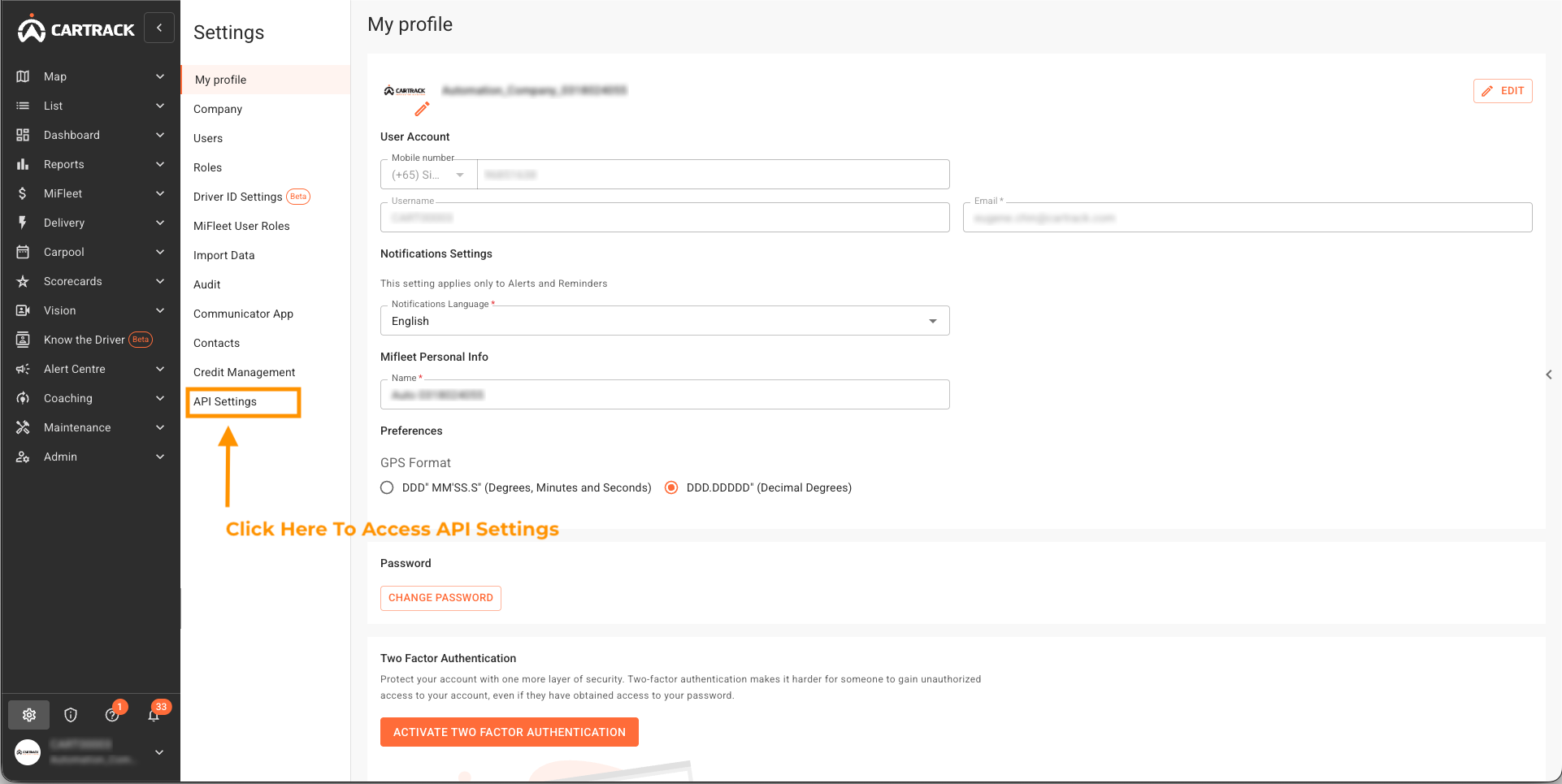
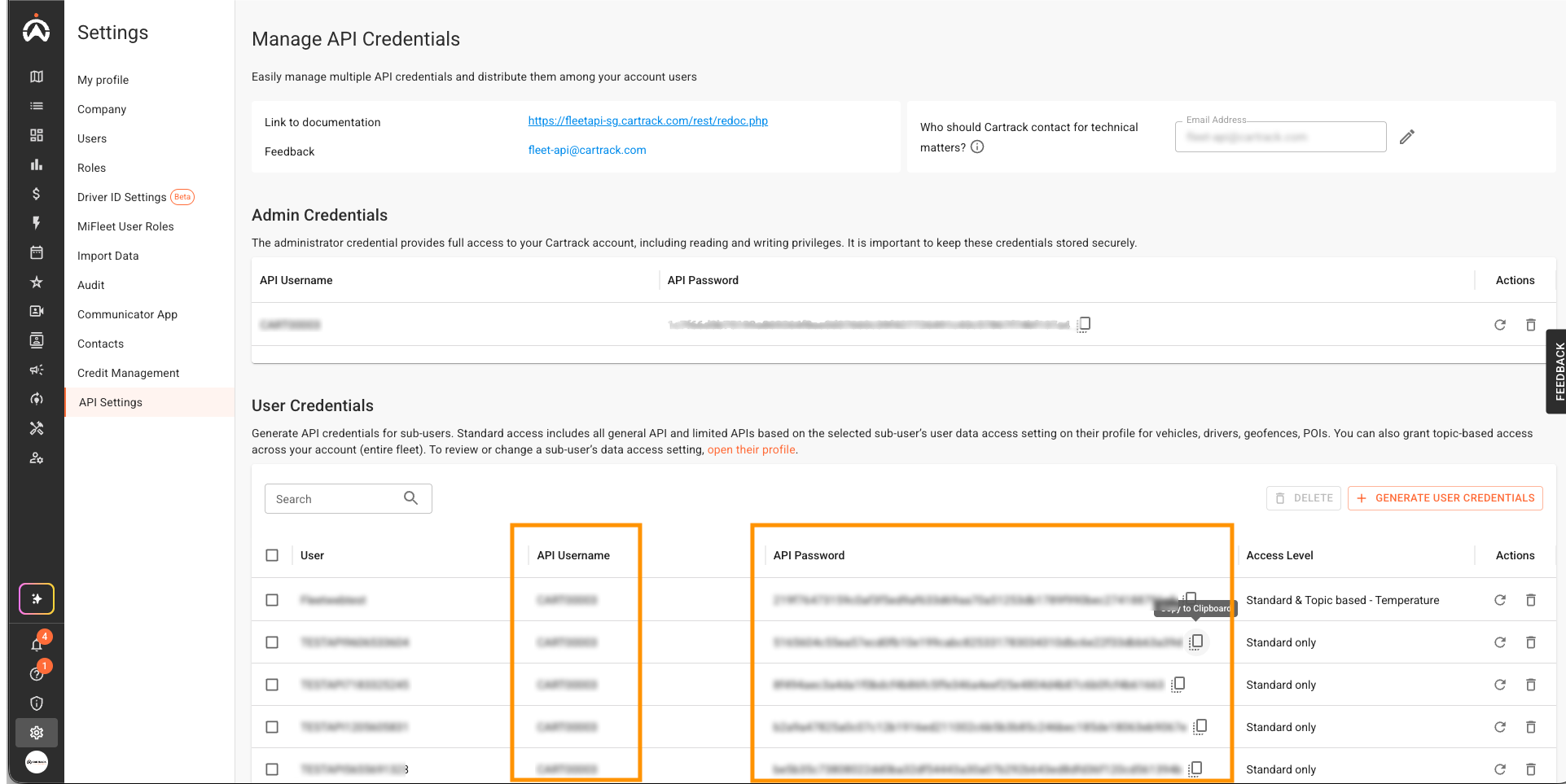
Open the API Settings page at https://fleetweb-<region>.cartrack.com/settings/api-settings (Settings → API Settings in the Fleetweb menu). See screenshot below.
Administrator password
Generate a new Administrator password following the on-screen prompts.
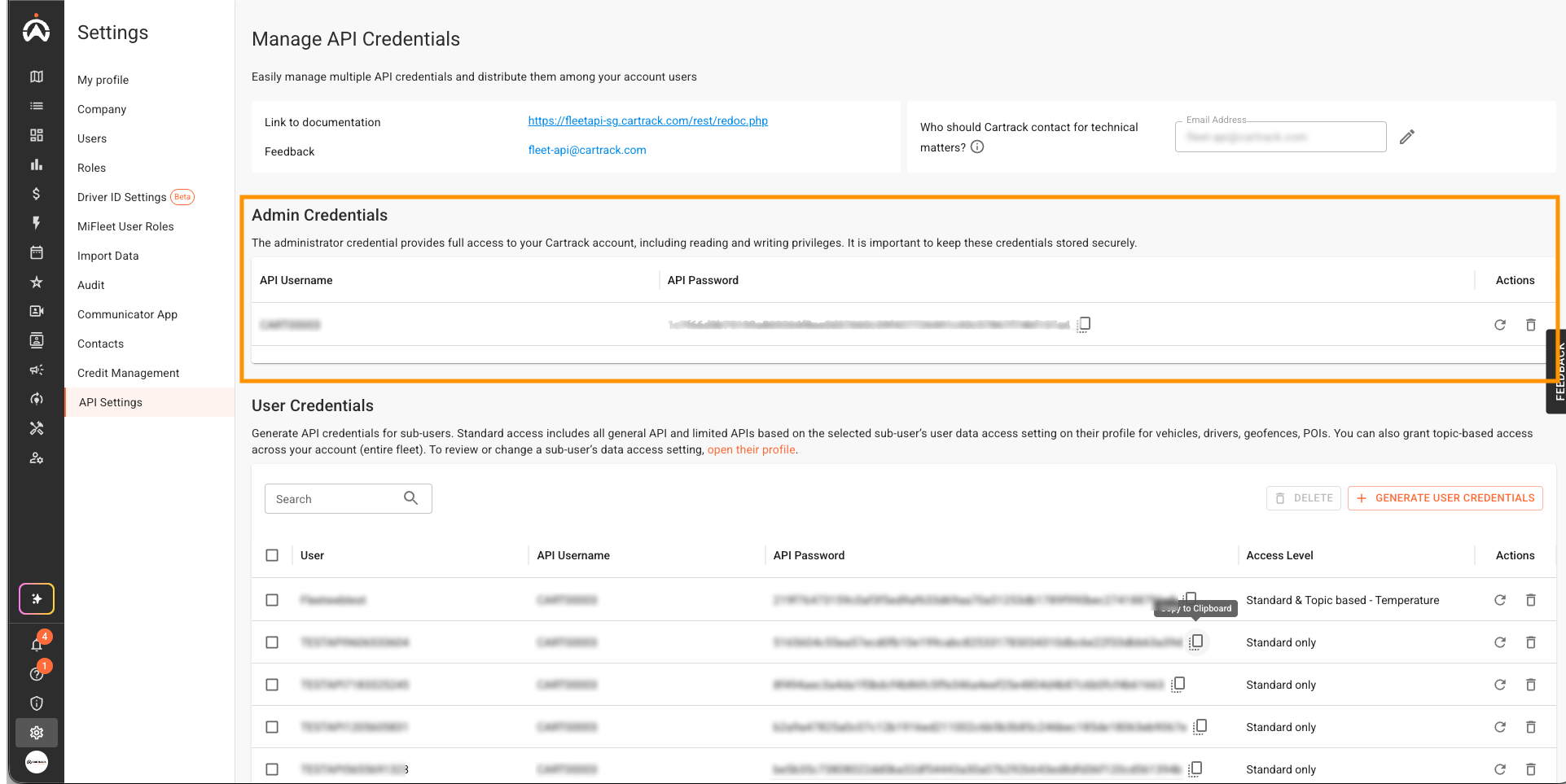
Store the password securely and share it only with trusted personnel.
User API password
Use the "Generate User Credentials" button in the User Credentials section to create a new password for the integration or partner.
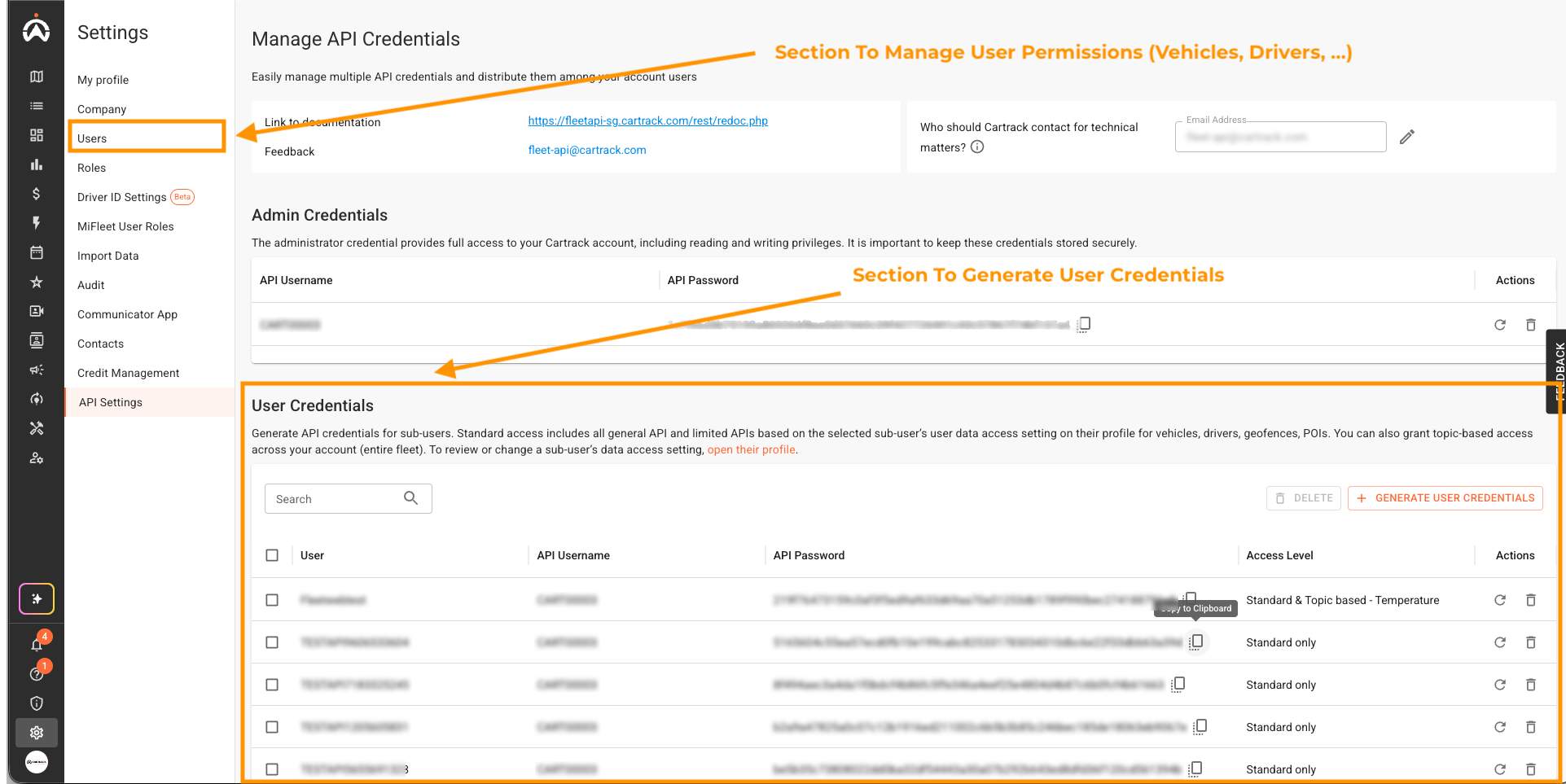
Assign only the scopes/permissions required and store the password securely.
Notes
- Use user-level accounts for external integrations when possible; reserve Administrator credentials for management tasks.
- If your account is hosted in a different region, use the corresponding Fleetweb and API base URL — otherwise authentication will fail with HTTP 401.
- Refer to the Base URLs page for region codes and endpoints.
Identifying Username and Password
For Administrator, the username and password are found here:
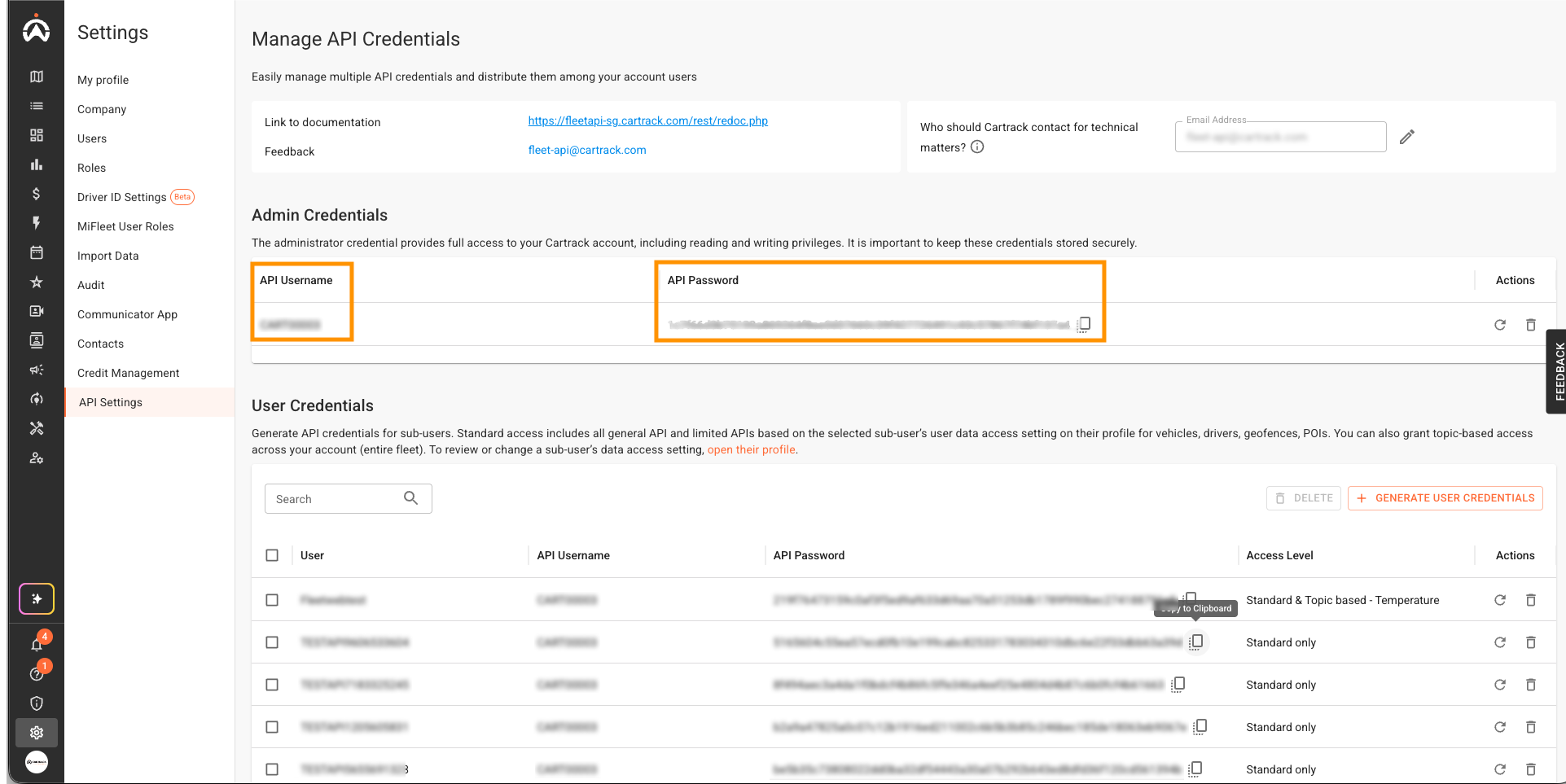
For Users, the username will be the same as the administrator, but the password will be different. You can find the user password here:
How to construct the header
- Concatenate your username, a colon (
:), and your password:username:password. - Base64‑encode that string. This side can be useful: https://www.base64encode.org, however most API clients such as Postman offer the functionality to do this for you by selecting "Basic Auth" in the Authorization tab.
- Add the encoded value to the
Authorizationheader prefixed withBasic.
Example (raw header)
Authorization: Basic dXNlcm5hbWU6cGFzc3dvcmQ=
If you want, you can have it a try and decode this text here: https://www.base64decode.org
Quick examples
curl
curl -u "username:password" "https://fleetapi-za.cartrack.com/rest/vehicles"
JavaScript (fetch)
const credentials = btoa(`${username}:${password}`);
fetch('https://fleetapi-za.cartrack.com/rest/vehicles', {
 headers: { 'Authorization': `Basic ${credentials}` }
});
Security best practices
- Always use HTTPS — never send credentials over plain HTTP.
- Do not embed credentials directly in client-side code that may be public.
- Store credentials securely (environment variables, secret managers, vaults).
- Use least privilege: generate user-level API passwords for integrations instead of sharing administrator credentials.
- Rotate and revoke credentials regularly; update integrations after rotation.
- If you receive HTTP 401 Unauthorized, verify you're using the correct regional endpoint for your account (see Base URLs).